> ## Documentation Index
> Fetch the complete documentation index at: https://docs.lantern.is/llms.txt
> Use this file to discover all available pages before exploring further.
# Set up email sharing
> How to set up your email with Lantern to enable advocates to share referrals via email
## Overview
Lantern works with your existing email providers to give you full control over the emails you send to your customers. You can use our [Klaviyo integration](#using-klaviyo) or use [Shopify Flow](#using-shopify-flow) to set up the triggers and connectors to enable advocates to share their referrals via email.
***
## Using Klaviyo
Set up your Klaviyo integration with Lantern before following these steps.
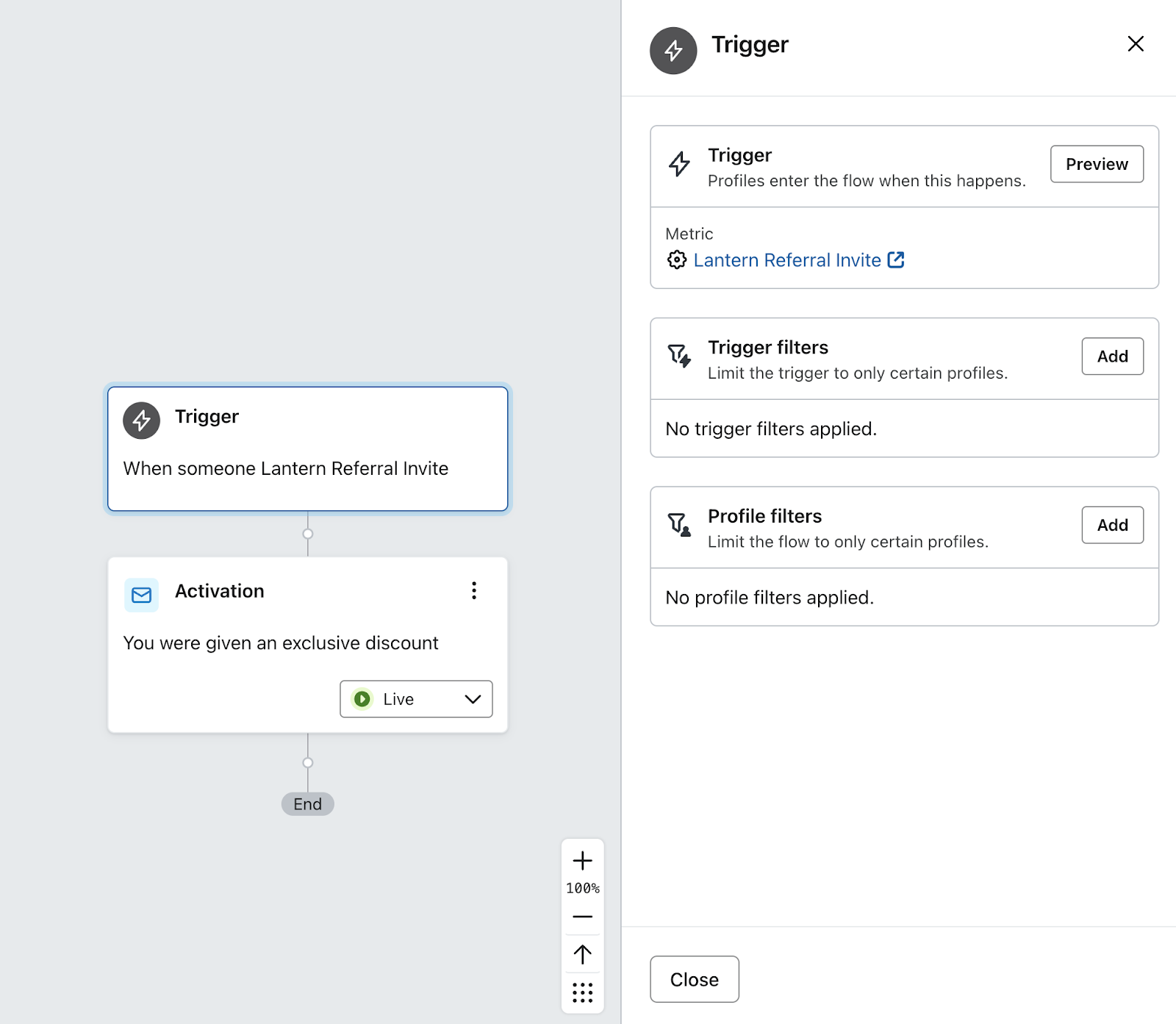 Create a new flow in Klaviyo using **Lantern Referral Invite** as the metric for the trigger
Add an email action and configure and design it how you like.
Use these event properties in your email template:
* **`{{ event.referralLink }}`** for the Advocate's personal unique link to activate the referral
* **`{{ event.message }}`** for the message the Advocate provided when sending the invite. If the advocate didn't set a message, this will be your default message.
***
## Using Shopify Flow
Create a new flow in Klaviyo using **Lantern Referral Invite** as the metric for the trigger
Add an email action and configure and design it how you like.
Use these event properties in your email template:
* **`{{ event.referralLink }}`** for the Advocate's personal unique link to activate the referral
* **`{{ event.message }}`** for the message the Advocate provided when sending the invite. If the advocate didn't set a message, this will be your default message.
***
## Using Shopify Flow
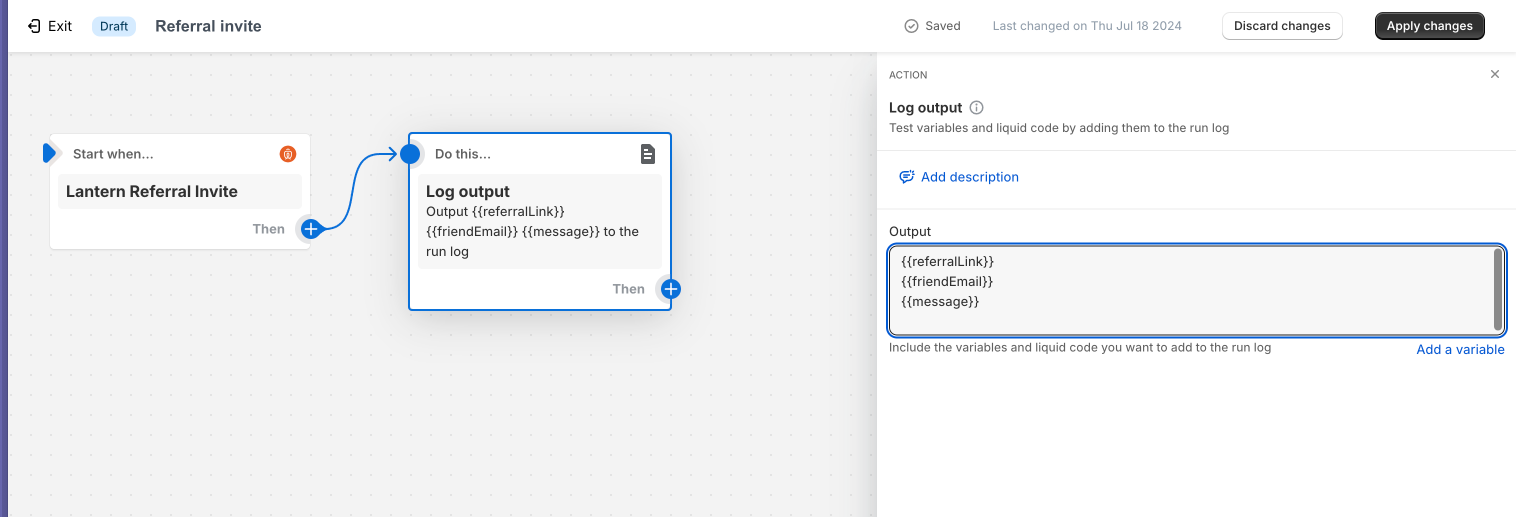 Create a new Flow in the Flow app in your Shopify Admin.
Press the **Select a trigger** button
Choose **Lantern Referral Invite** as the trigger
Add an action for however you want to send the invite. If you have an email app that works with Shopify flow, you can use that. You can even send something like a webhook to use an external email provider.
Use these event properties from the flow trigger:
* **`{{ referralLink }}`** for the Advocate's personal unique link to activate the referral
* **`{{ friendEmail }}`** the email address to send the invite to
* **`{{ message }}`** for the message the Advocate provided when sending the invite. If the advocate didn't set a message, this will be your default message.
Create a new Flow in the Flow app in your Shopify Admin.
Press the **Select a trigger** button
Choose **Lantern Referral Invite** as the trigger
Add an action for however you want to send the invite. If you have an email app that works with Shopify flow, you can use that. You can even send something like a webhook to use an external email provider.
Use these event properties from the flow trigger:
* **`{{ referralLink }}`** for the Advocate's personal unique link to activate the referral
* **`{{ friendEmail }}`** the email address to send the invite to
* **`{{ message }}`** for the message the Advocate provided when sending the invite. If the advocate didn't set a message, this will be your default message.