

Setting It Up
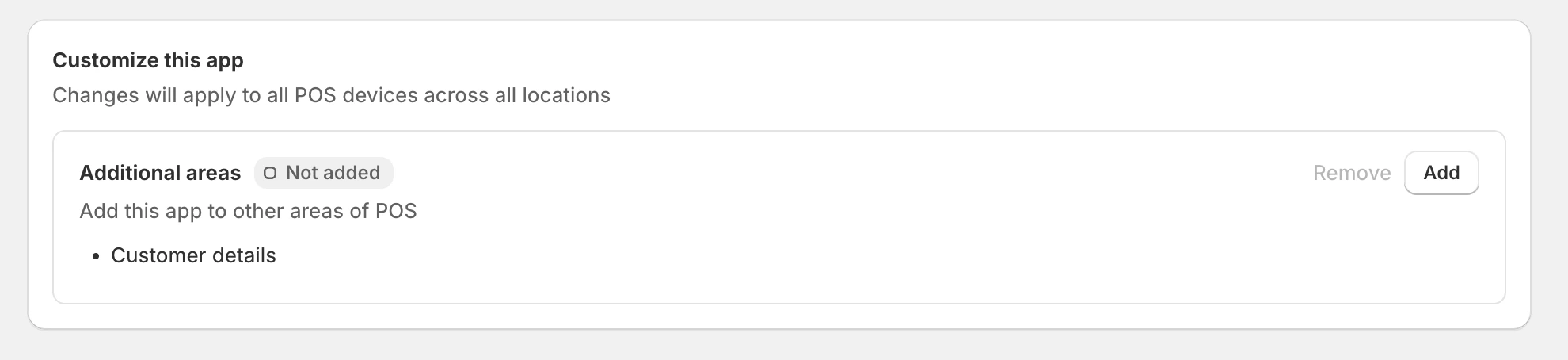
To enable the extension:- Go into the Shopify POS channel in the Shopify Admin
- Go to Settings → General → POS Apps → Lantern
- Under “Customize this app” find “Customer details” and click “Add”
Using the Extension
To use the extension, open the customer’s details in POS by either:- Searching and selecting them in the “Customers” tab
- Tapping their name in the cart if they are already added to it
Customer Details
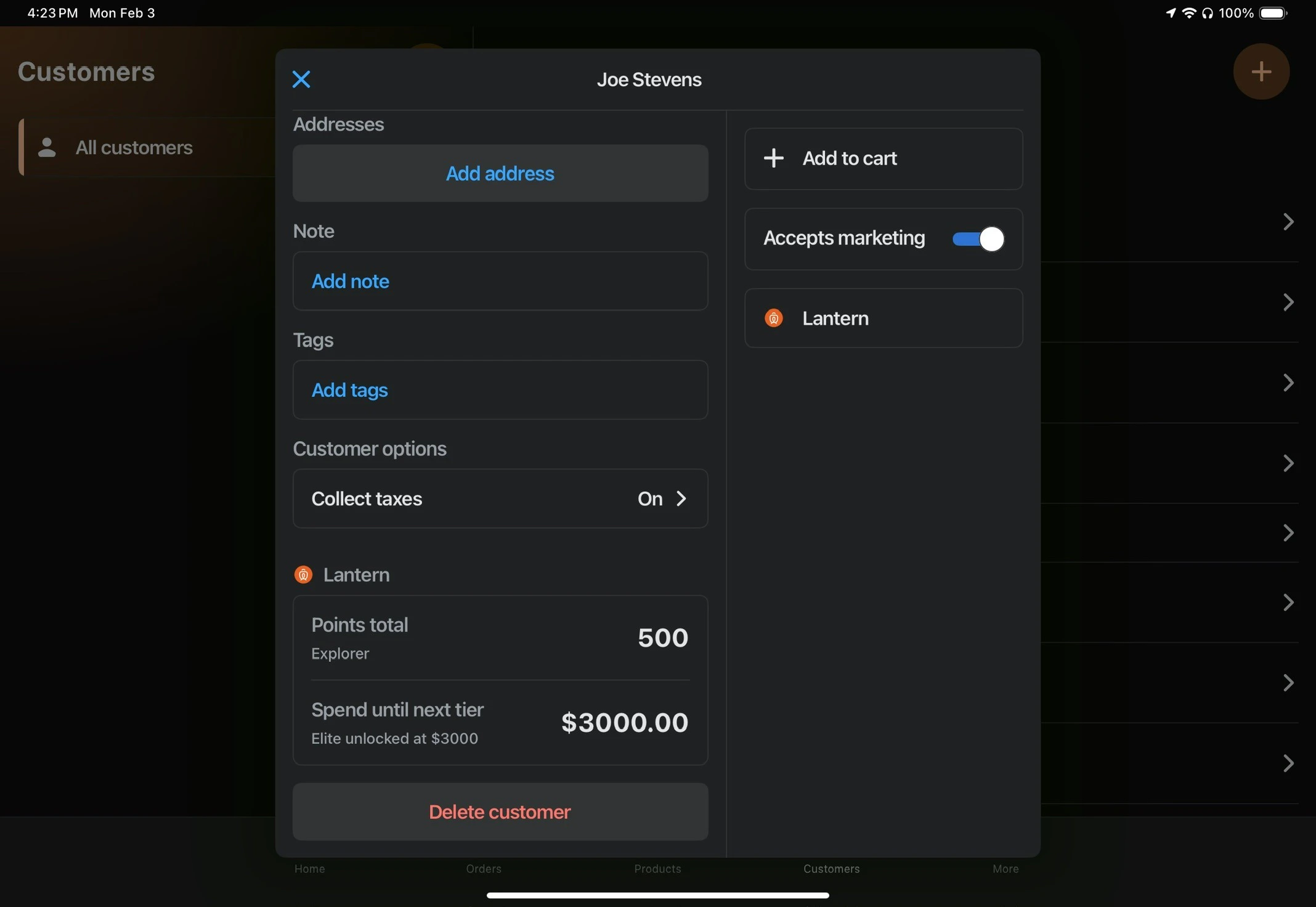
The overview section appears on the customer profile, showing:- Current point balance
- Loyalty tier
- Points needed to reach the next tier (if applicable)
Customer Actions Modal
The actions modal provides tools to manage customer loyalty. To access it, click the “Lantern” action in the customer profile under the “Accepts marketing” toggle.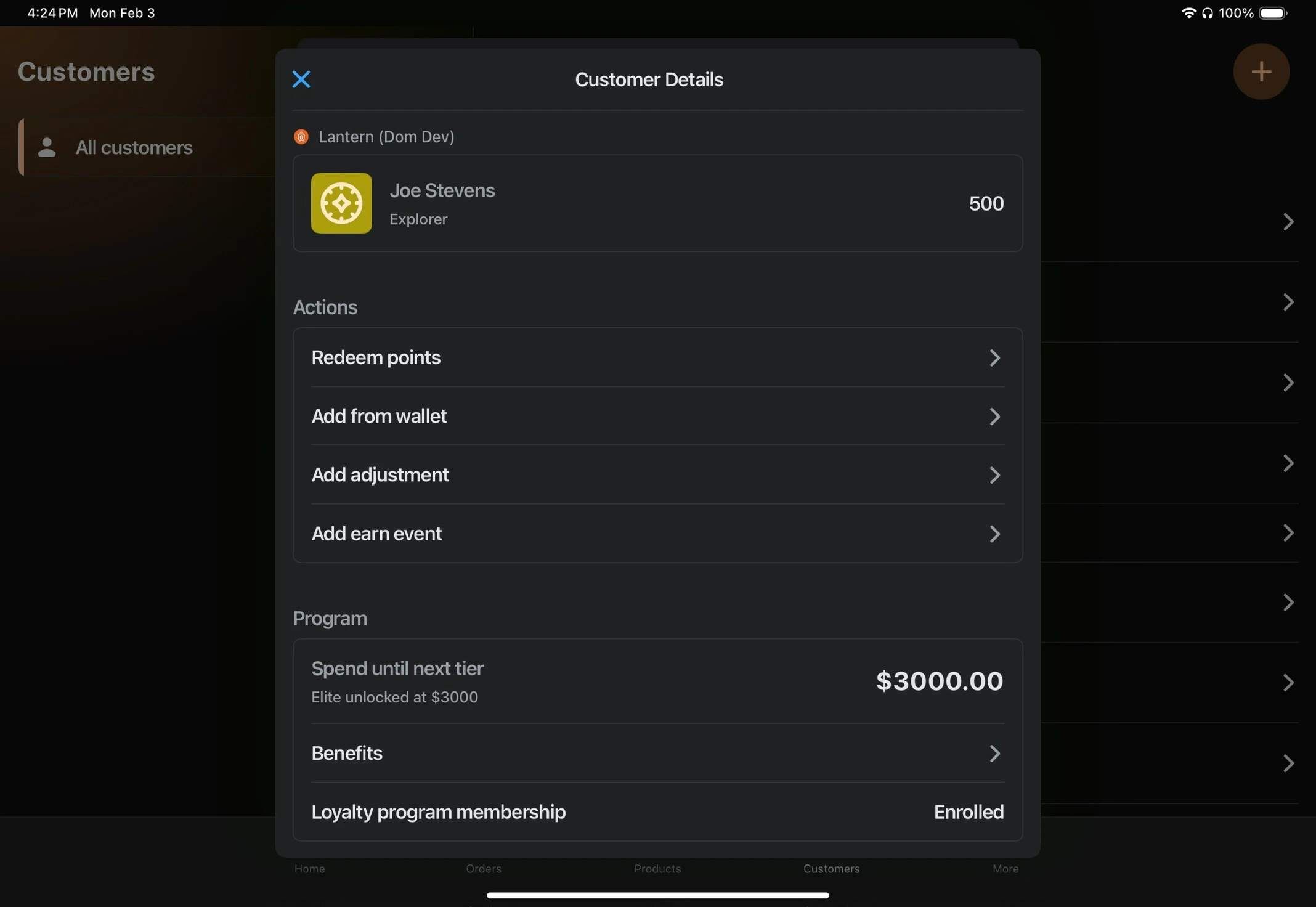
Redeem Points
Use a customer’s point balance to “purchase” a reward. This is useful for in-store redemptions.Add from Wallet
Select from rewards the customer has already redeemed or been given that are in their wallet.Add Adjustment
Manually adjust a customer’s loyalty points or spend. This can be used to:- Correct point balances
- Give points as a customer service action
- Allow manual overrides
Add Earn Event
Manually mark a Lantern earn event as completed. This is useful for:- Custom earn events (like store check-ins)
- Viewing completed earn events