

Supported pages: Thank you Minimum required Shopify plan: Basic Shopify plan or higher
Overview
Lantern’s Referral checkout extension is a great way to encourage customers to share a referral when they’re most incentivized to do so — right after they place an order. This article will walk you through how to install the Referral checkout extension on your store.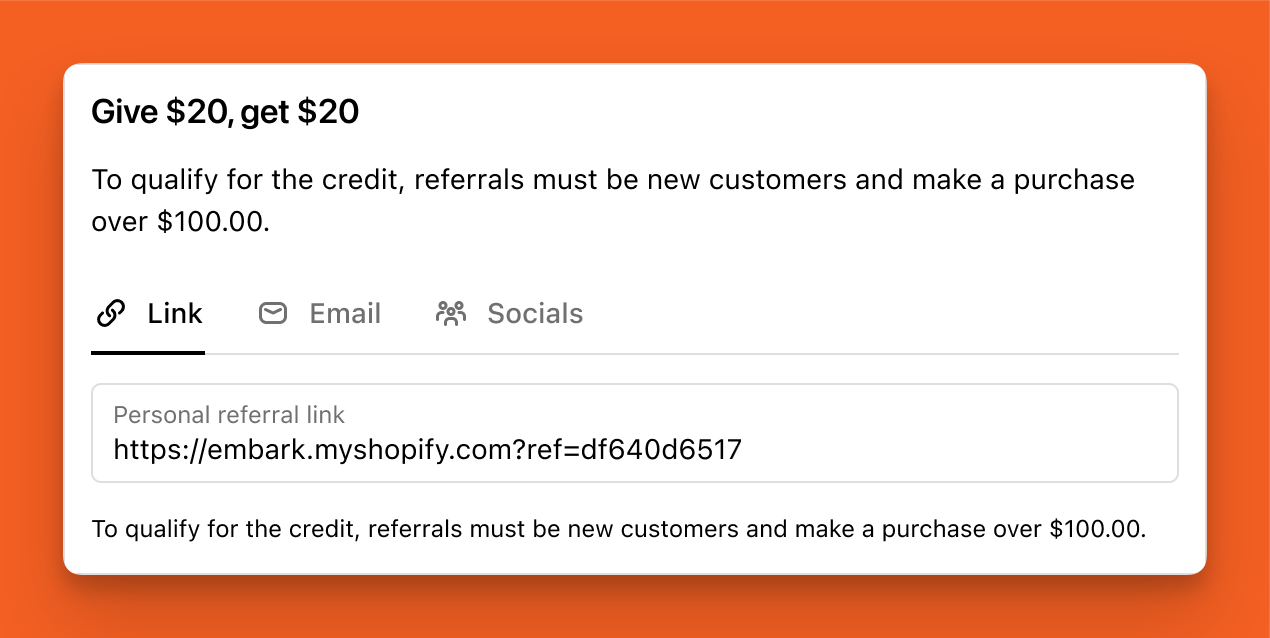
How to add the extension to your checkout
1
Navigate to your Shopify Admin and go to Settings > Checkout.
2
Press the Customize button.
- If you don’t want to edit your live checkout, you can press the Duplicate button to create a draft version of your Checkout.
3
In the top middle of the Checkout Editor, press the Checkout dropdown and select the Thank You page.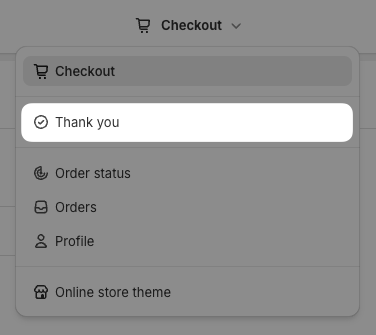
4
In the bottom left of the Checkout Editor, press the Add app block button.
5
Select Referral from the list of App Blocks.
6
In the left side of the Checkout Editor, choose whether you want to enable Email and Social sharing options.
Email referrals require you to set up your email provider correctly before they will work. Learn how to set up email sharing for Referrals.
7
Press the Referral button at the top left of the Checkout Editor to return to your page editor.
8
Place the Referral block wherever you want it on the page.
9
Click Save in the top right when you’re done.